Export is not reserved for the day you leave an app. You may need to send a draft to an editor, open it on a computer, preserve a finished copy, or hand it to someone who does not use your notebook. In each case, “save this note” means something slightly different.
Export, sync, and backup solve different problems
Export creates a portable version of one or more notes for reading, editing, or sharing. Sync keeps the working data on your own devices up to date. A backup exists to rebuild the whole collection after loss or failure.
Sync is not a backup: an accidental deletion may travel to the other devices too. A folder of exported articles may not restore the original folders and app data either. A reliable workflow often uses all three.
Note export formats compared
| Format | What it preserves | Best for | Tradeoff |
|---|---|---|---|
| TXT | Plain text and line breaks | Maximum compatibility, transcripts, rough drafts | No visual formatting |
| Markdown (.md) | Text and portable markup | Editing, publishing, moving to another knowledge system | Markdown extensions vary |
| HTML | Rendered headings, links, tables, footnotes | Browser reading, instructions, finished archives | Less pleasant as a working draft |
| .loknot | Text, chosen font, and note styling | Moving a note to the future Loknot desktop app | Specialized format |
| Backup | Every note and folder | Restoring the collection | Not meant to be read as a document |
TXT: when the words are all that matter
A .txt file opens almost anywhere. It is a dependable choice for a transcript, a list,
an unformatted article draft, or an independent copy you want to outlive the app.
Headings remain lines of text, but their size and weight disappear. A table may become awkward, and a labeled link may lose its label. In return, compatibility is about as broad as it gets.
Markdown: when the text will keep changing
A .md file preserves structure with readable punctuation. Open it on a computer, move
it to Obsidian or another Markdown editor, add it to a repository, or feed it into a publishing system.
Headings, lists, links, and emphasis usually travel well. Tables, footnotes, and wiki links deserve a test in the destination because different editors support different extensions.
HTML: when the document should look finished
Exporting .html turns the note into a web page. A browser displays headings, emphasis,
lists, tables, footnotes, and code blocks. The reader needs neither Loknot nor a Markdown editor.
HTML is a good fit for instructions, teaching material, a report, or the final version of an
article. If the document will be heavily revised, keep the .md source beside it.
The .loknot format: staying inside the app family
A .loknot file preserves the text, chosen font, and note styling. It is intended for
moving a note into the desktop edition of Loknot after that app is released. It is not a universal
replacement for Markdown; it needs compatible Loknot software.
Fountain and PDF for screenplays
A note in screenplay mode can be handed off as Fountain, an open text format understood by many screenwriting tools. Finished, paginated PDF export is planned for Pro, which is still in development. Do not build a production workflow around that feature before it actually ships.
A backup is a route home, not a document
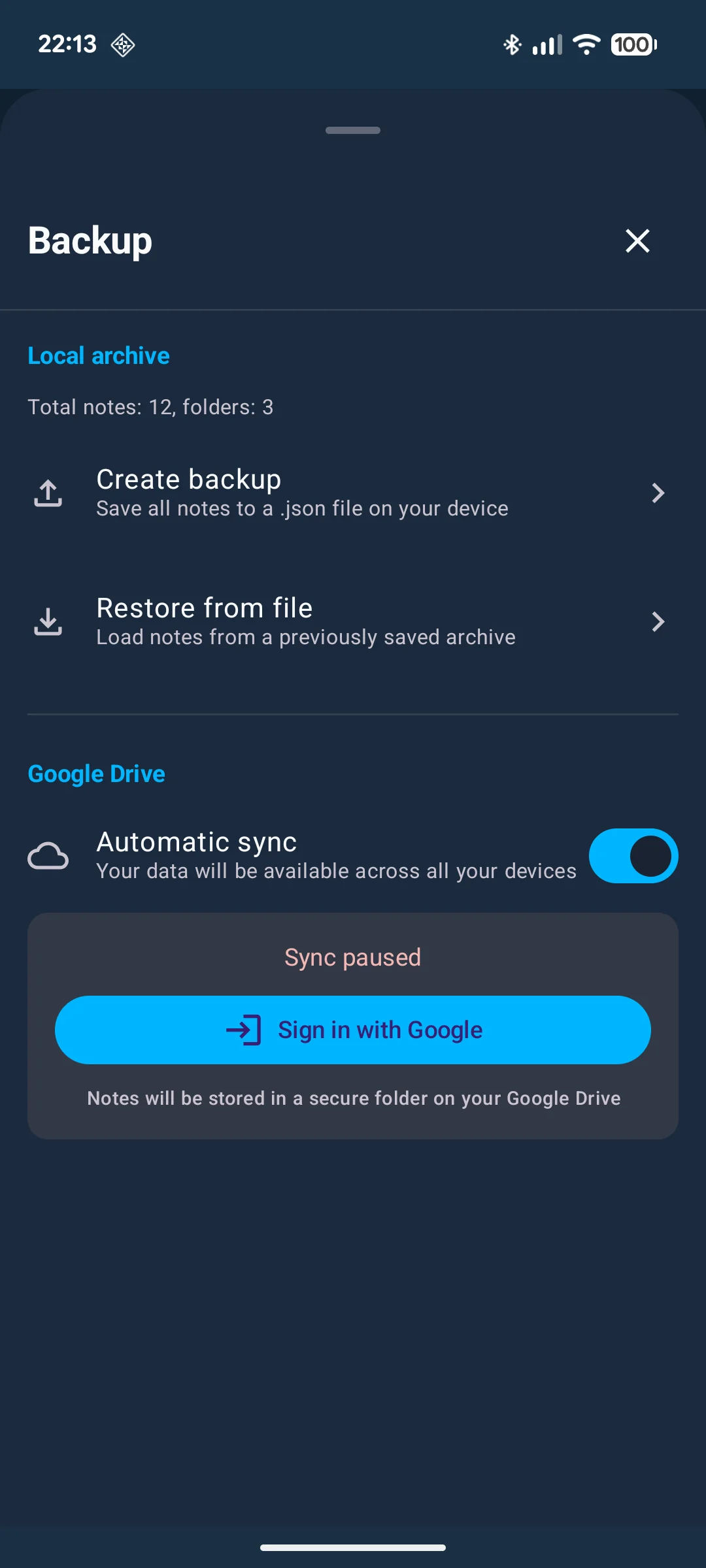
A local Loknot backup puts every note and folder into one file. During recovery, its contents are added to what is already there and duplicates are skipped. You can create the file without a password, but that is a poor choice for private writing: anyone who finds it can read the notes.
A backup password cannot be reset by support. That is the ordinary consequence of encryption. Keep the password elsewhere and store the file somewhere other than the phone it is meant to rescue.
Choose a format in thirty seconds
- Read the words in almost any editor: TXT.
- Keep editing while preserving structure: Markdown.
- Show the finished layout in a browser: HTML.
- Move a screenplay into screenwriting software: Fountain.
- Restore every note and folder: a local backup.
- Keep your own devices current: sync, not export.
What to check after exporting
- Does the file open in the app the recipient actually uses?
- Did headings, line breaks, lists, and links survive?
- Are there private fragments, comments, or working notes that should not leave?
- Does the filename make sense outside your notebook?
- Are you sending it to the right person through a suitable channel?
For important writing, keep two versions: .md as the
editable source and .html as the easy reading copy. Together they preserve both
ownership and presentation without tying the document to one app.
The commands and available formats are covered on Sharing and export. For restoring a collection, see the backup guide.
Common questions
Which format is best for moving notes to another app?
Usually Markdown, if the destination supports it. Plain notes can use TXT. Before a large move, test a few notes containing links and tables.
Does export replace a backup?
No. Export creates documents for use outside the app. A backup preserves the collection and its structure for recovery.
Are exported files encrypted?
Regular TXT, Markdown, and HTML files are readable by design. Use a trusted channel or add separate file encryption for sensitive material.
Updated: